This cheatsheet lists the most commonly used commands and should be more than enough for you to get started using uv.
For more advanced use cases, check the uv docs and its guides.
Last updated for uv version 0.11.10.
Download this cheatsheet
Creating projects 🧱
|
|
uv init |
Initialise a project in the current directory |
uv init myproj |
Initialise a project myproj in the directory myproj
|
uv init --app --package ... |
Initialise a packageable app (e.g., CLI, web app, ...) |
uv init --lib --package ... |
Initialise a packageable library (code you import) |
uv init --python 3.X ...
|
Use Python 3.X for your project |
Managing project dependencies 🧩
|
|
uv add requests |
Add requests as a dependency |
uv add A B C |
Add A, B, and C as dependencies |
uv add -r requirements.txt |
Add dependencies from the file requirements.txt
|
uv add --dev pytest |
Add pytest as a development dependency |
uv run pytest |
Run the pytest executable that is installed in your project |
uv remove requests |
Remove requests as a dependency |
uv remove A B C |
Remove A, B, C, and their transitive dependencies |
uv tree |
See the project dependencies tree |
uv lock --upgrade |
Upgrade the dependencies' versions |
Project lifecycle management 🔄
|
|
uv build |
Build your packageable project |
uv publish |
Publish your packageable project to PyPI |
uv version |
Check your project version |
uv version --bump major |
Bump project major version (e.g., 0.3.2 -> 1.0.0) |
uv version --bump minor --bump beta |
Bump minor version into a beta (e.g., 1.0.0 -> 1.1.0b1 or 1.1.0b1 -> 1.1.0b2) |
uv version --bump rc |
Bump version into release candidate (e.g., 1.1.0b1 -> 1.1.0rc1 or 1.1.0rc1 -> 1.1.0rc2) |
uv version --bump stable |
Turn into a stable version (e.g., 1.1.0rc1 -> 1.1.0) |
|
|
uv tool run pytest |
Run pytest in an isolated environment |
uv tool run textual-demo --from textual |
Run the command textual-demo from the package textual
|
uvx ... |
Alias for uv tool run ...
|
uv tool install ruff |
Install ruff in an isolated environment but make it globally available |
uv tool install --with dep ... |
Install the given tool with extra dependencies (e.g., install a tool with its plugins) |
uv tool list |
List all tools installed |
uv tool upgrade ruff |
Upgrade the ruff tool |
uv tool upgrade --all |
Upgrade all tools |
uv tool uninstall ruff |
Uninstall ruff
|
uv tool install -e .
|
Install the current packageable project in editable mode |
Working with scripts 📜
|
|
uv init --script myscript.py |
Initialise the script myscript.py
|
uv init --script myscript.py --python 3.X |
Initialise the script myscript.py and pin it to version 3.X |
uv add click --script myscript.py |
Add the dependency click to the script |
uv remove click --script myscript.py |
Remove the dependency click from the script |
uv run myscript.py |
Run the script myscript.py
|
uv run --python 3.X myscript.py |
Run the script with the given Python version |
uv run --with click myscript.py |
Run the script along with the click dependency |
Make your script executable and add the uv shebang at the very first line of the script: #!/usr/bin/env -S uv run.
This way, you can run your script directly as ./myscript.py instead of having to write uv run myscript.py.
Manage Python versions 🐍
|
|
uv python list |
List Python versions you have installed and versions you can install |
uv python install 3.X |
Install Python 3.X |
uv python uninstall 3.X |
Uninstall Python 3.X |
uv run python |
Run your default Python |
uv run --python 3.X python |
Run Python 3.X |
uv python upgrade |
Upgrade your Python versions |
uv python pin 3.X |
Pin to a specific Python version |
For old timers who don't learn new tricks 👴👵
|
|
uv venv path/to/.venv |
Create a virtual environment at path/to/.venv
|
uv pip |
pip's interface with uv's speed ⚡️ |
Miscellaneous commands ✨
|
|
uv format |
Format your code with Ruff |
|
|
uv help cmd |
See the help for the command cmd
|
uv self update |
Update uv version |
uv self version |
Check uv version |
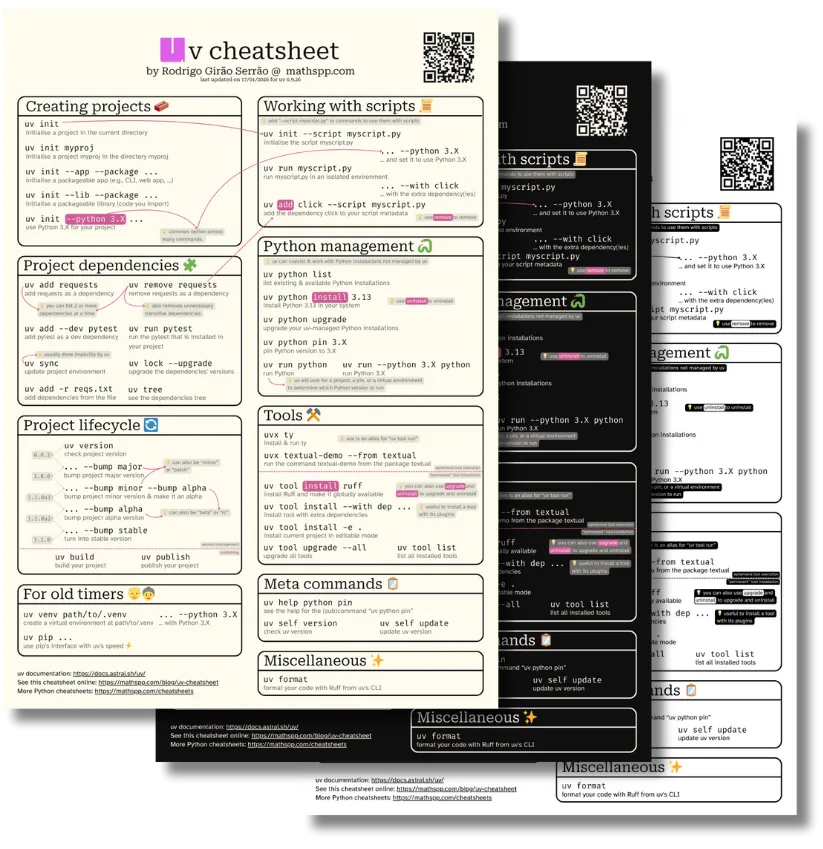
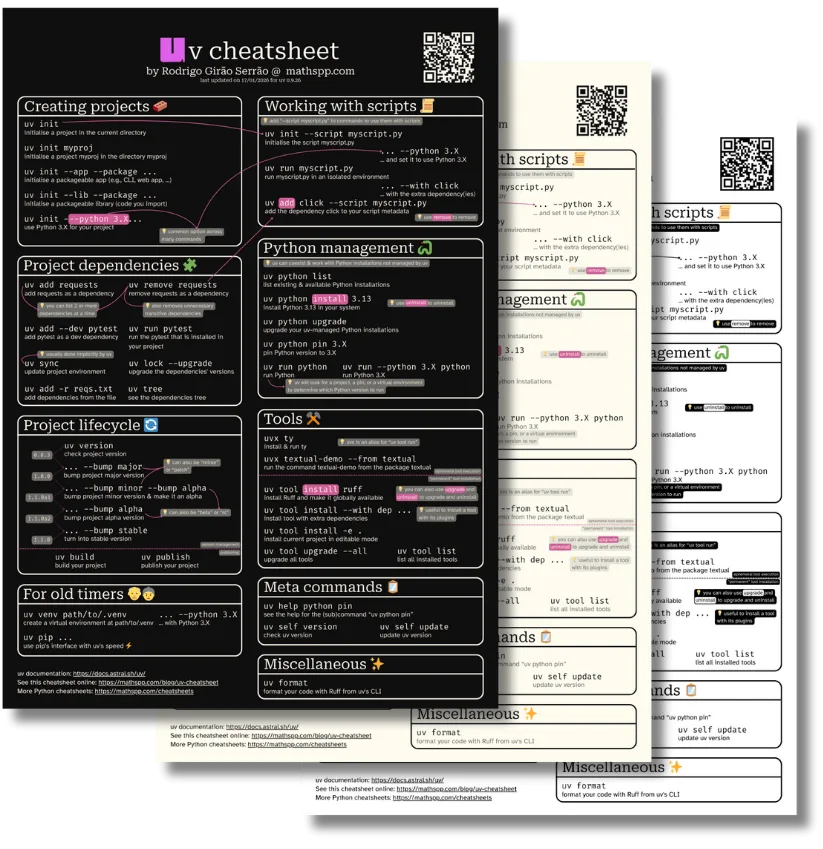
Download this cheatsheet
Become the smartest Python 🐍 developer in the room 🚀
Every Monday, you'll get a Python deep dive that unpacks a topic with analogies, diagrams, and code examples so you can write clearer, faster, and more idiomatic code.
References